

Understanding Computerized Tax Preparation Systems for Businesses
- CE Computerized Tax Service
- Jun 30
- 4 min read
Navigating the world of taxes can feel overwhelming, especially when running a business. But with the rise of computerized tax preparation systems, managing your tax obligations has become much more straightforward. These systems are designed to simplify the process, reduce errors, and save you valuable time. In this post, I’ll walk you through what computerized tax systems are, how they work, and why they’re a game-changer for businesses of all sizes.
What Is Computerized Tax Preparation?
Computerized tax preparation refers to the use of software and digital tools to handle tax calculations, filings, and record-keeping. Instead of manually crunching numbers or filling out paper forms, businesses can now rely on automated systems that streamline the entire tax process.
These systems can:
Calculate taxes owed based on current laws and regulations
Generate accurate tax forms and reports
Store and organize financial data securely
Help identify deductions and credits you might miss otherwise
For example, a small business owner can input their income and expenses into a computerized tax system, and the software will automatically calculate the correct tax amount. This reduces the risk of human error and ensures compliance with tax laws.
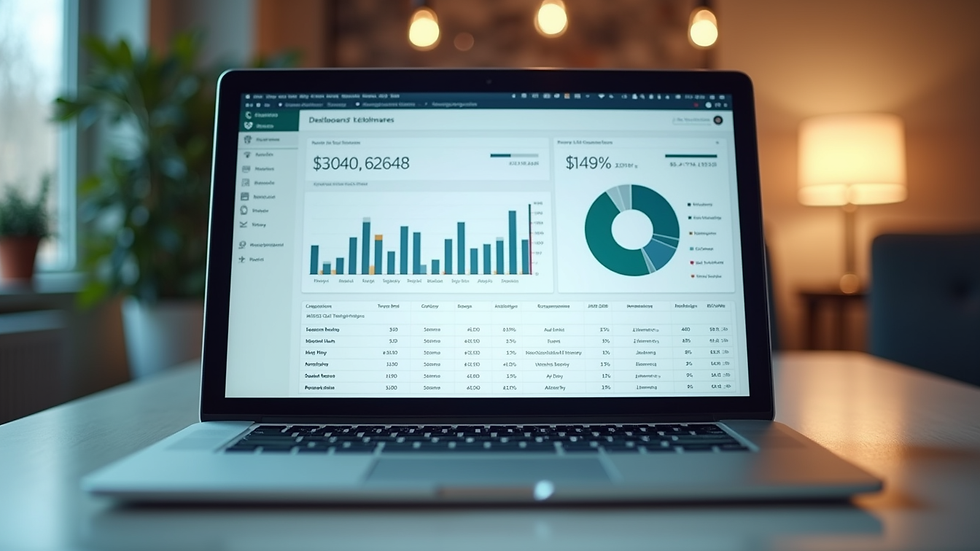
Using computerized tax preparation tools not only saves time but also provides peace of mind. You can be confident that your taxes are calculated correctly and filed on time, avoiding costly penalties.
Benefits of Computerized Tax Preparation for Businesses
Switching to computerized tax preparation offers several advantages that can help your business thrive:
1. Accuracy and Compliance
Tax laws change frequently, and keeping up with them can be challenging. Computerized systems are regularly updated to reflect the latest tax codes, ensuring your filings are accurate and compliant.
2. Time Efficiency
Manual tax preparation can take hours or even days. Automated systems speed up the process by handling calculations and form generation quickly.
3. Cost Savings
By reducing the need for extensive manual work or external tax consultants, computerized tax preparation can lower your overall tax preparation costs.
4. Easy Record-Keeping
Digital systems store your tax documents and financial records in one place, making it easy to access past filings or audit information.
5. Enhanced Security
Many computerized tax systems use encryption and secure cloud storage to protect your sensitive financial data from unauthorized access.
For instance, a nonprofit organization can use computerized tax software to track donations and expenses, ensuring they meet IRS reporting requirements without hassle.
What does CE stand for in taxes?
You might come across the abbreviation "CE" when dealing with taxes, especially in computerized tax systems. CE stands for Continuing Education. This is important for tax professionals who need to stay updated on tax laws and regulations to provide accurate services.
Continuing Education ensures that tax preparers maintain their knowledge and skills, which benefits businesses relying on their expertise. For example, a tax consultant who completes CE courses will be better equipped to navigate complex tax scenarios and advise clients accordingly.
Understanding CE is crucial because it reflects the commitment to quality and accuracy in tax preparation services. When you choose a computerized tax system or service, knowing that the professionals involved engage in CE can give you confidence in their expertise.
How Computerized Tax Systems Work in Practice
Let’s break down the typical workflow of a computerized tax system for a business:
Data Input
You enter your financial information, such as income, expenses, payroll, and deductions, into the system. Many platforms allow importing data directly from accounting software, reducing manual entry.
Automated Calculations
The system applies current tax laws to calculate your tax liability or refund. It checks for errors or missing information and prompts you to correct them.
Form Generation
Based on the calculations, the software generates the necessary tax forms, such as income tax returns, payroll tax reports, or sales tax filings.
Review and Filing
You review the forms for accuracy. Once satisfied, you can file electronically through the system, which often provides confirmation of receipt.
Record Storage
The system securely stores your tax documents and related financial data for future reference or audits.
For example, a startup can use a computerized tax system to manage quarterly estimated tax payments, ensuring they stay on top of deadlines and avoid penalties.

Tips for Choosing the Right Computerized Tax System
With so many options available, selecting the right computerized tax system can be tricky. Here are some practical tips to help you make the best choice:
Assess Your Business Needs
Consider the size of your business, the complexity of your tax situation, and the types of taxes you need to file.
Look for User-Friendly Interfaces
Choose software that is easy to navigate, especially if you or your team are not tax experts.
Check for Regular Updates
Ensure the system updates automatically to reflect the latest tax laws and regulations.
Evaluate Customer Support
Reliable customer service can be a lifesaver when you encounter issues or have questions.
Consider Integration Capabilities
If you use accounting or payroll software, look for tax systems that integrate smoothly with your existing tools.
Review Security Features
Protecting your financial data is critical, so prioritize systems with strong encryption and secure storage.
By following these tips, you can find a computerized tax system that fits your business perfectly and helps you stay compliant with ease.
Embracing the Future of Tax Management
The shift to computerized tax preparation is more than just a trend - it’s a smart move toward efficiency and accuracy. Whether you’re managing a small business or a large corporation, these systems can transform how you handle taxes.
Remember, the goal is to simplify your financial complexities so you can focus on what matters most - growing your business and achieving your goals. If you want to explore reliable options, consider checking out c e computerized tax services that specialize in helping businesses like yours.
By embracing computerized tax systems, you’re not just keeping up with technology - you’re setting your business up for success in a fast-paced financial world. So why wait? Dive into computerized tax preparation today and experience the difference it can make.
I hope this guide has given you a clear understanding of computerized tax preparation systems and how they can benefit your business. If you have any questions or want to share your experiences, feel free to leave a comment below!


Comments